\[ \renewcommand{\vec}[1]{\boldsymbol{#1}} \]

My case for reproducible research (and some tools)

Tom Ranner

Slides available at tom-ranner.gitlab.io/reproducable-research

Before I forget…

What is the problem?

Do I trust my research software?

  • Can I trust my code to give the same results when I come back to it weeks, months, years later?
  • Can I run my code on which ever machine I want (i.e. laptop, mju, arc, jade, …)?
  • Can someone else reproduce the same results as me?

What other people think?

There is concern this is a reproducibility crisis in computational research….

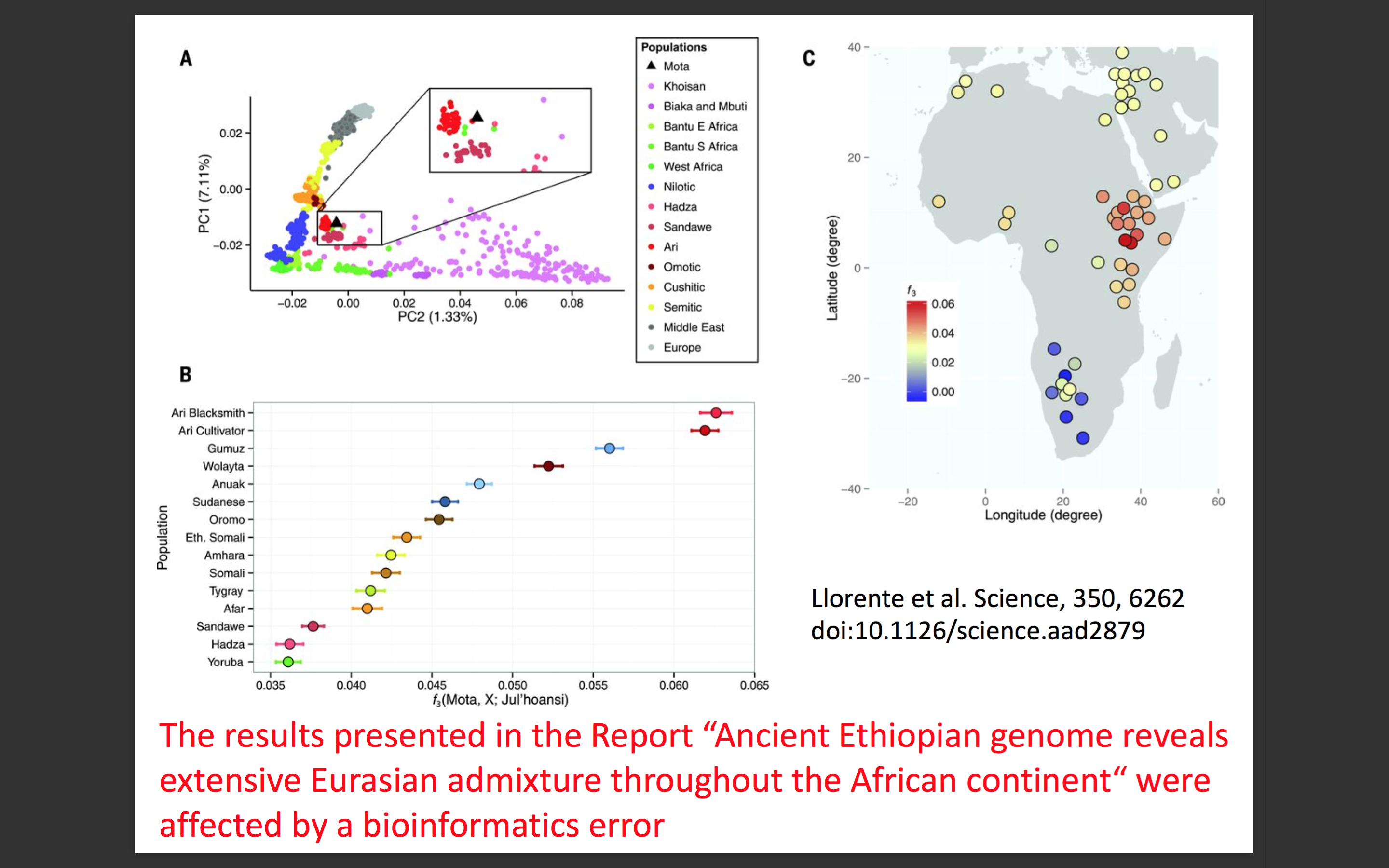
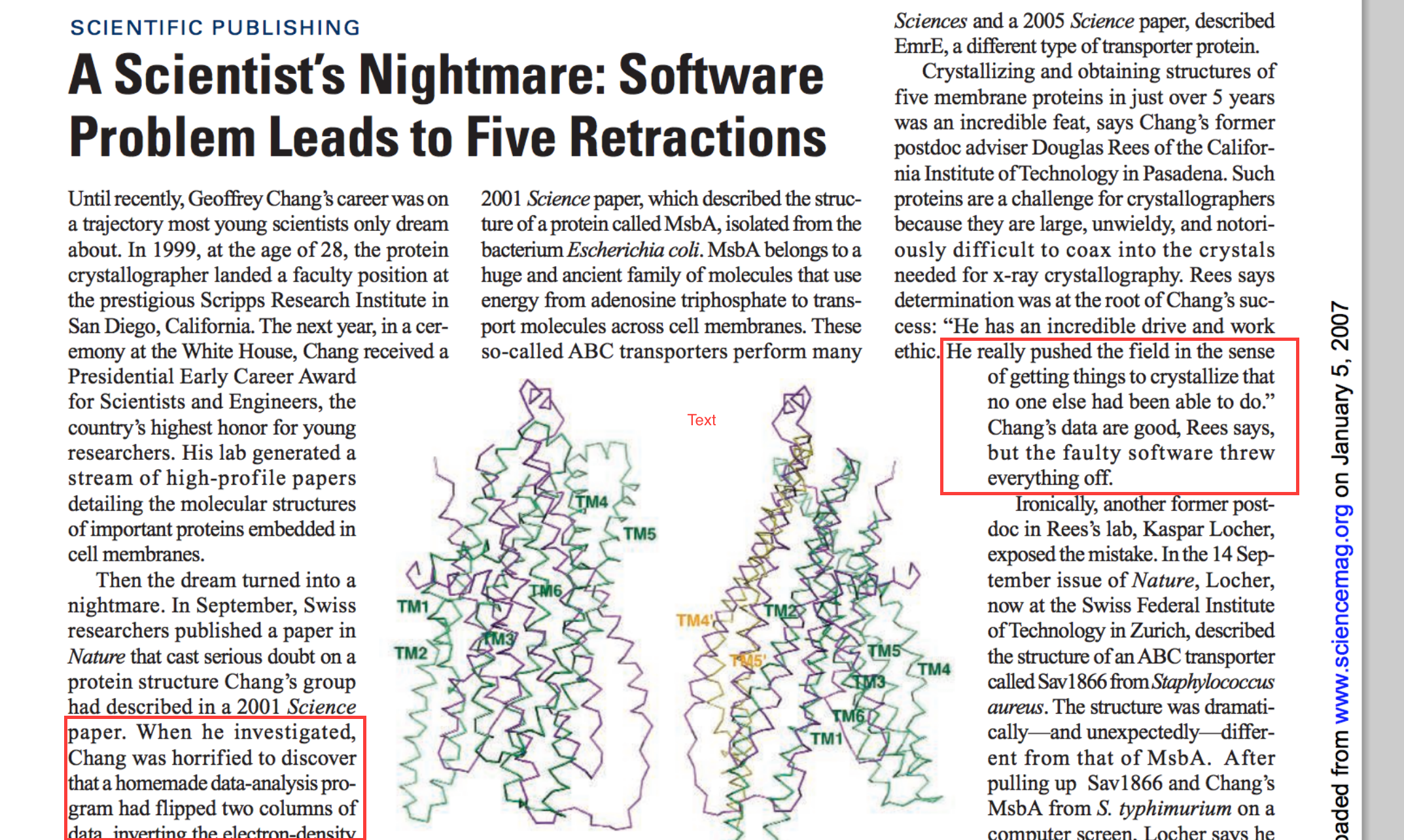
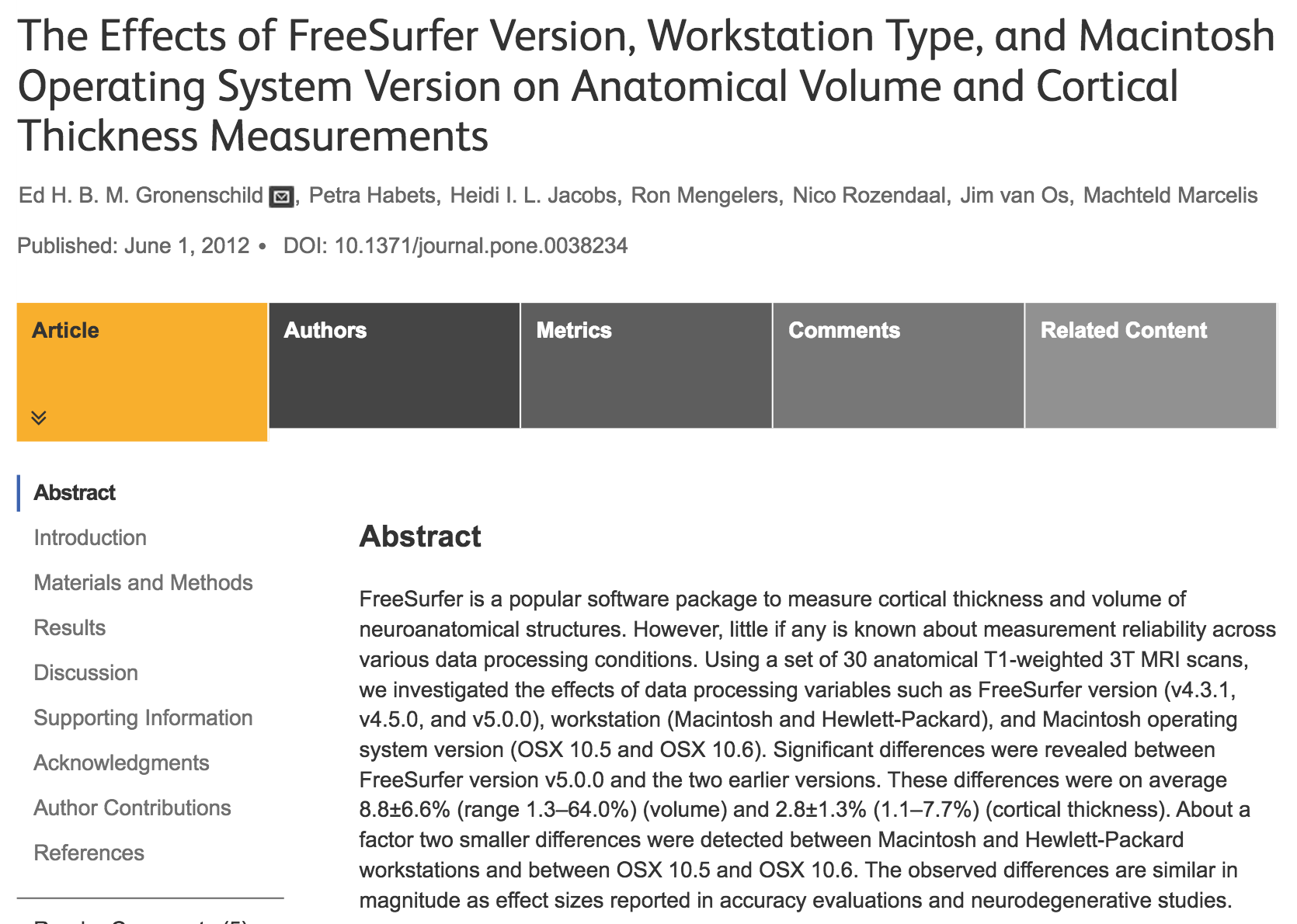
Here are some examples (from https://mikecroucher.github.io/reproducible_ML/)

The famous excel error

The gene excel problem

Gene name errors are widespread in the scientific literature Make Zieman, Yotam Eren and Assem El-Osta

The spreadsheet software Microsoft Excel, when used with default settings, is known to convert gene names to dates and floating-point numbers. A programmatic scan of leading genomics journals reveals that approximately one-fifth of papers with supplementary Excel gene lists contain erroneous gene name conversions.

doi:10.1186/s13059-016-1044-7

More seriously

More seriously 2

Version problems
Basic good ideas

  • clicks aren’t reproducible
  • code in high level languages
  • source code management (git) - which version gave you your results?
  • some way to track environment/dependencies and versions (today)
  • ideal case: generate all results, figures, paper, … just by running one command (also today)
  • automation is not about saving time

Solution 1: conda (environments)

What is conda?

Package, dependency and environment management for any language—Python, R, Ruby, Lua, Scala, Java, JavaScript, C/ C++, FORTRAN, and more.
Conda is an open source package management system and environment management system that runs on Windows, macOS and Linux. Conda quickly installs, runs and updates packages and their dependencies. Conda easily creates, saves, loads and switches between environments on your local computer. It was created for Python programs, but it can package and distribute software for any language.

https://docs.conda.io/en/latest/

Conda aims

  • Install a specific set of dependencies with well defined versions
  • Record dependencies and version for all dependencies
  • Isolate environments rather than installing globally
  • Different versions of dependencies per project

Conda: how it works?

The details

  • Not just for python
  • Open source BSD licence (not GPL code)
  • miniconda is a lightweight alternative to anaconda
  • Can be installed on your computer (windows, mac, linux, hpc, …) without admin rights

Let’s have a go!

  • creating and activating a new conda environment
  • installing packages
  • saving environment to file
  • removing an environment
  • installing from file

Solution 2: singularity

What is singularity?

Singularity enables users to have full control of their environment. Singularity containers can be used to package entire scientific workflows, software and libraries, and even data. This means that you don’t have to ask your cluster admin to install anything for you - you can put it in a Singularity container and run.

https://www.sylabs.io/docs/

Wait - what’s a container?

A container is a standard unit of software that packages up code and all its dependencies so the application runs quickly and reliably from one computing environment to another.

https://docker.com/what-container

Singularity aims

  • Available for most operating systems
  • A mechanism to send the computer to the data
  • Solve the problem of getting code running on another computer by sending the computer
  • Singularity is aimed at the scientific community to run mainly using HPC
  • Can use docker images - for example stored at DockerHub
  • Also singularity recipes and images

Some language

Image is a blueprint. It is immutable.

Container is an instance of an image.

Dockerfile/Singularity recipe is a recipe which creates a container based on an image and potentially applies small changes to it

Pros

  • Allows for seamless moving workflows across platforms
  • Lightweight solution (c.f. virtual machines)
  • Eliminates the works on my machine problem
  • Very straightforward dependency management
  • Doesn’t require root access to run (requires root to build)

Cons

  • There are potential security issues
    • where did you get your image from?
  • Can be used to hide away software install problems and thereby discourage good software development practices
    • Why use cmake when you know the path of all dependencies?

Let’s have a go

  • pulling containers (potentially slow)
  • getting a shell in a container
  • what files are here already?
  • some of the magic
  • what a recipe looks like

Solution 3: snakemake

What is snakemake?

The Snakemake workflow management system is a tool to create reproducible and scalable data analyses. Workflows are described via a human readable, Python based language. They can be seamlessly scaled to server, cluster, grid and cloud environments, without the need to modify the workflow definition. Finally, Snakemake workflows can entail a description of required software, which will be automatically deployed to any execution environment.

https://snakemake.github.io/ | https://snakemake.readthedocs.io/en/stable/

Snakemake’s aims

  • A special tool to reproduce a number of steps in a computational workflow
  • Replacement for clicking lots of buttons in a GUI, bash script, makefile, …
  • Gentle learning curve
  • Cross platform available via conda (bioconda channel)
  • Heavily used in bioinformatics but completely general

How it works

Pros and cons

  • Designed for scientific workflows including HPC or kubernetes
  • Integrates really well with conda and singularity
  • Can only really be set up once you know what the pipeline is
  • Requires all tasks to be on one machine
  • (I’ve not used this tool seriously so far but it seems useful…)

Let’s have a go

  • What’s a snakefile?
  • How to generate the dag image?

Other solutions or helpers

Other ideas

  • git annex or git lfs for data storage
  • testing - gives you confidence to make changes to code
  • use well established libraries
  • code review
  • continuous integration/continuous deployment (gitlab, bitbucket, sourcehut)

Other resources